





A phone system that knows your book of business.
Talk, text, record, transcribe, and power-dial without leaving the CRM. Your phone system isn’t an add-on — it’s the heart of Workganic™.
Softphone, deskphone, or both
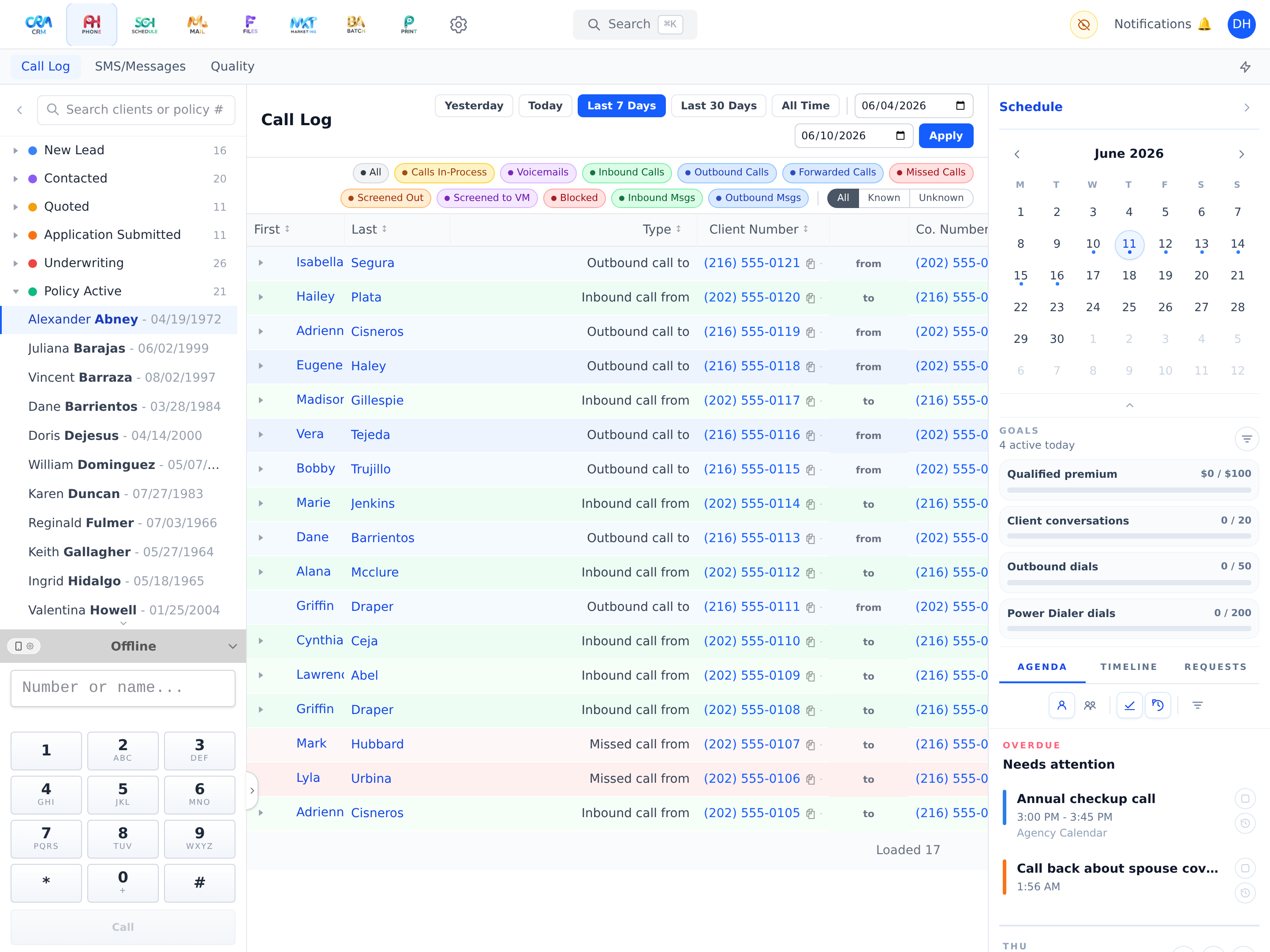
Make and receive calls directly in the browser with the built-in softphone — or use a real deskphone with full support, or your cellphone or landline. Every conversation attaches to the client record either way.
Two-way texting with media
Send and receive SMS/MMS with attachments right from the client profile — perfect for follow-ups, appointment confirmations, and birthday messages.
Power dialing without redials
The dialer calls you once and keeps your line alive for the whole session while client calls join and drop — no redial between calls, no dead air ritual.
Dial as a team
Multiple agents can work the same status pool at once. The system deduplicates instantly, so two agents never call the same client.
One-press voicemail drop
Hear voicemail? Press once — a pre-recorded message is delivered in the background while you’re already on the next call. Multiple drops run in parallel.
Recordings and transcripts, in-house
Dual-channel recordings are stitched into clean audio and transcribed by Workganic’s own AI transcription workers — no third-party transcription service. Voicemail transcripts even show up in your notifications.
Caller-ID screen pop & routing
Incoming calls resolve to the CRM client with a clickable record link before you answer. Per-client routing sends callers to the right agent, department, or voicemail.
Multi-call mastery
Run a live call, a held call, and a stack of waiting callers at once. Add a call, merge into a conference, swap lines, hold or mute any party individually, drop a party, or leave the room and let the others keep talking — a built-in warm handoff.
Hold that doesn’t hiccup
Hold runs through the carrier’s native conference controls — the held caller is audio-isolated instantly, with no clicks, redirects, or dropped legs.
Supervisor listen & barge
Managers can listen to any live call or barge in to help close — right from the call log.
Inbound call screening
Unknown callers are announced by text-to-speech; answer with a key press — or just say “Answer.”
Voicemail greetings on a schedule
In-hours, after-hours, holiday, override, and failsafe greeting modes — scheduled once, org-wide or per user.
Dialer settings that follow you
Caller-ID line, status pool, call order, VM audio, and skip rules persist per agent and restore automatically — in every tab.
Phone is included on every plan — not an add-on.
From Starter up, Phone works around the same client record as everything else. The Power Dialer arrives with Professional, and team dialing with Agency. See how it fits into your agency's day — on your own book of business, not a canned demo.