













Act on five hundred clients as easily as one.
Slice your entire book by status, policy, state, or agent — preview exactly what will change — then update, assign, and route in bulk with a full audit trail.
Slice the whole book
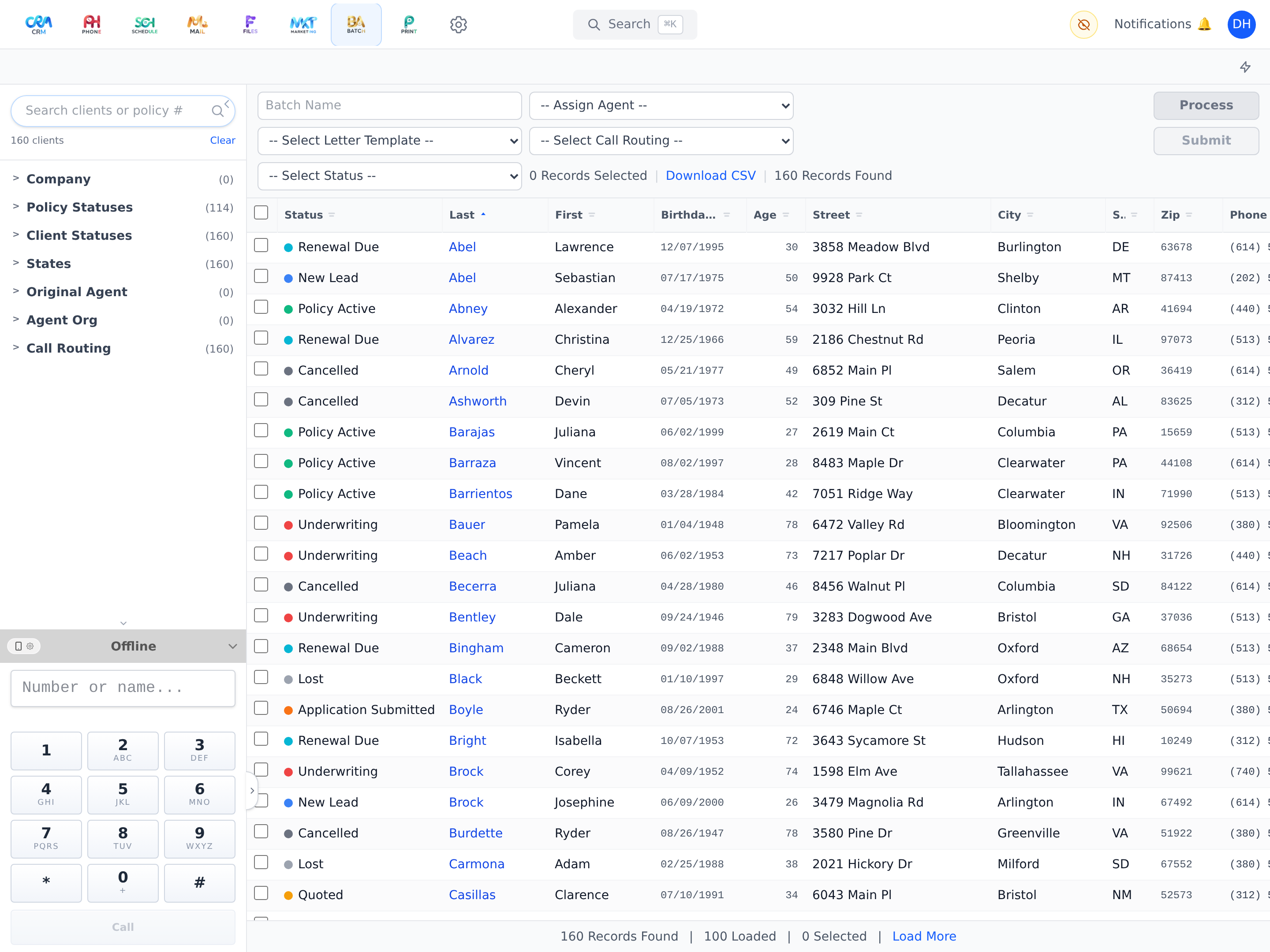
Filter by client status, policy status, state, company, original agent, agent organization, call routing, and assigned user — with search that matches phone digits and policy numbers too.
Preview, then execute
Every batch validates first and reports valid vs. rejected counts before a single record changes.
Bulk operations with guardrails
Assign agents, set statuses, and set call routing across the selection — capped per run and MFA-gated.
Audited to the client
Each run is recorded with config and counts, and every affected client receives a timeline event tagged with the batch id.
Take it with you
Export the filtered list to CSV anytime, with sortable columns including computed age.
Batch is included on every plan — not an add-on.
From Solo up, Batch works around the same client record as everything else. See how it fits into your agency's day — on your own book of business, not a canned demo.