

Scheduling that lives where your clients live.
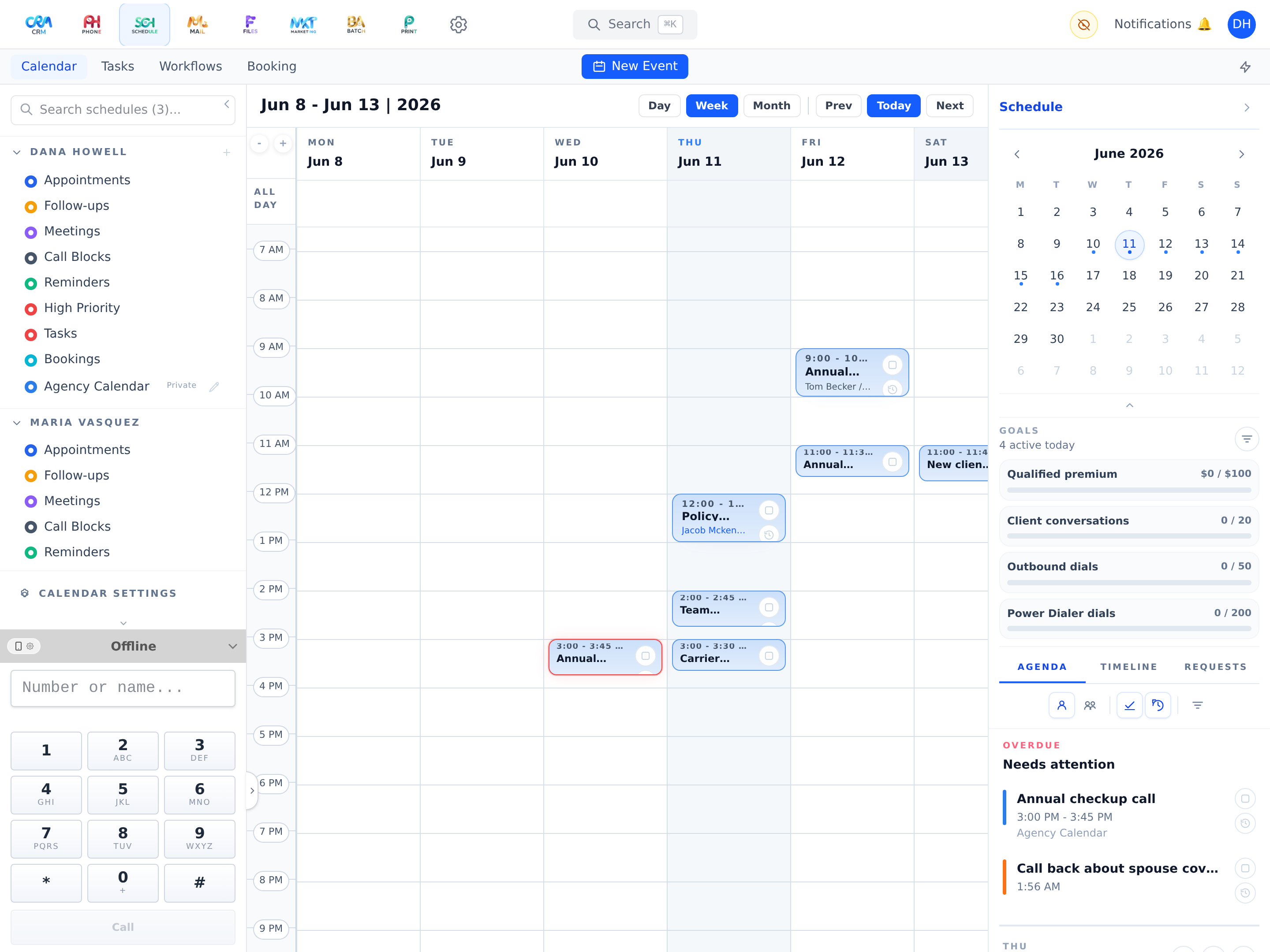
Appointments, tasks, and bookings on one calendar — synced to the calendar apps you already use, and projected onto every client’s timeline.
Events, tasks, and bookings together
A day/week/month calendar with an Upcoming panel for everything ahead and a Timeline panel showing appointments, tasks, and bookings in one stream.
On the client record
Client-linked schedule items flow straight into the CRM timeline as live schedule and task events.
Real two-way sync
Workganic runs its own CalDAV server — standards-based sync with iPhone, Mac, Outlook, and Thunderbird calendars, plus read-only ICS feeds.
Secure external access
External calendar access uses revocable, scoped app passwords with expiry — never your real login.
Shared calendars
Multiple calendars with sharing requests, accept/deny flows, and usage reporting.
Booking widgets
Define bookable widgets with duration, availability hours, buffer time, and round-robin assignment — the foundation for client-facing scheduling and the Book-a-Demo flow on this very site.
Schedule is included on every plan — not an add-on.
From Starter up, Schedule works around the same client record as everything else. Two-way sync with your phone's calendar arrives with Professional, and client-facing booking with Agency. See how it fits into your agency's day — on your own book of business, not a canned demo.