

Agency email that actually belongs to your agency.
Run mail on your own domain, migrate old mailboxes without a third-party service, and let every message connect to the clients it belongs to.
Your email client — keep your provider
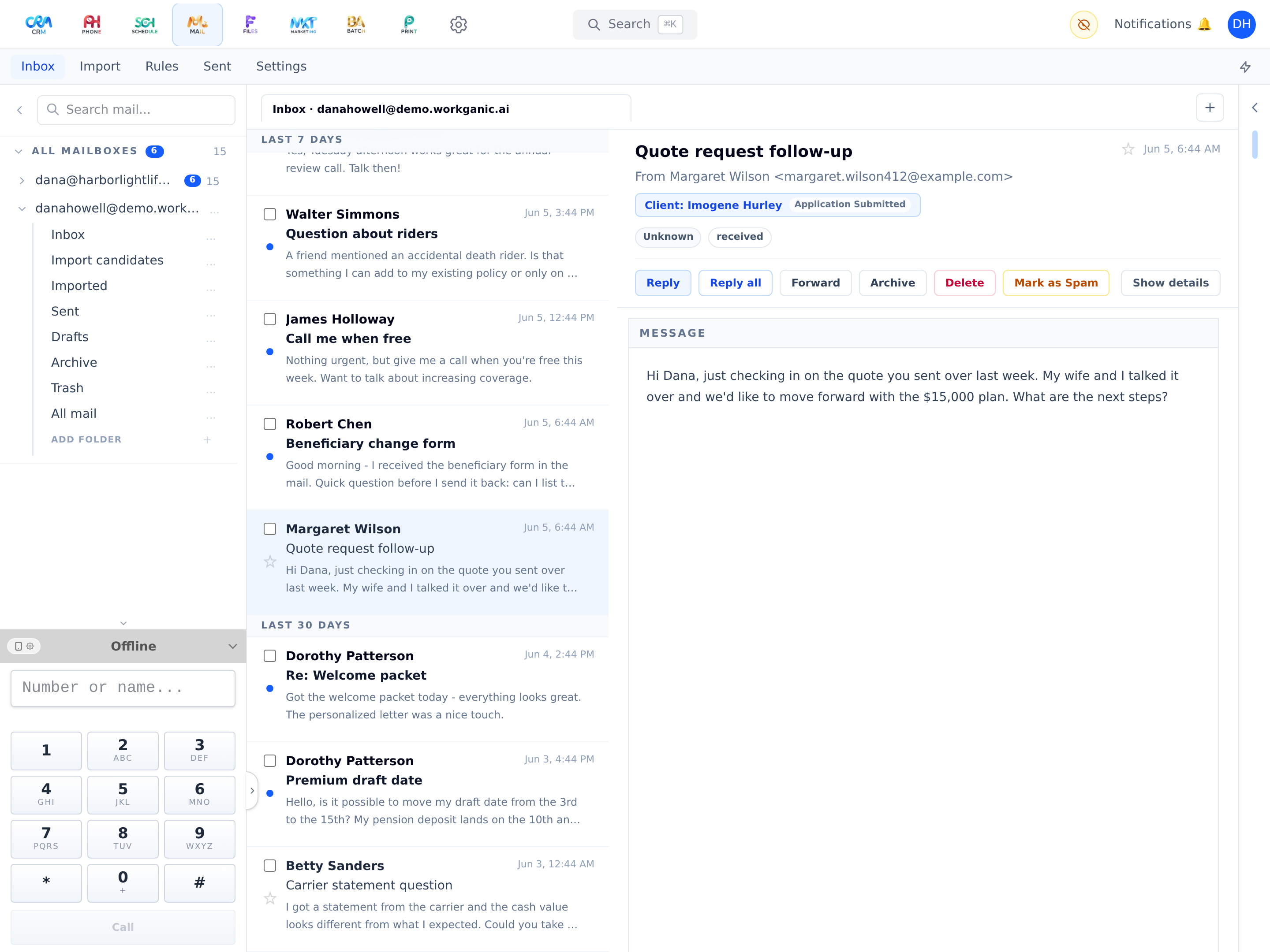
Connect your existing Zoho, Gmail, Outlook/Microsoft 365 — or almost any other email account (IMAP) — and use Workganic as your email program. Reads, folders, and actions stay in sync with your provider, so nothing changes on the other end — except that your email now lives next to your clients.
-
2
Full mailbox features
Custom folders, drafts with autosave, per-mailbox signatures, address filters, bulk triage actions, and multi-mailbox views.
-
3
Bring your own domain
When you’re ready to own your mail, run agency email on your domain with a guided setup that checks every step and confirms your domain is ready before you make the switch.
-
4
Migration without middlemen
Migrate folders and messages from any connected account a little at a time, with progress, pause, and resume — credentials stay encrypted, and are unlocked only at the moment they’re used.
-
5
Mail that knows your CRM
Start typing a name and Workganic fills in the right client, teammate, or carrier. Inbound lead emails can route directly into the lead-creation pipeline.
-
6
Teach Workganic
Import rules learn how to file your mail; emails forwarded as attachments are split into real, searchable messages — without creating duplicates.
-
7
Privacy by default
Images in incoming mail load through Workganic, not straight from the sender’s servers — so tracking pixels can’t report when you open a message.
-
8
One platform, no duplicates
Snooze is Notifications, follow-ups are Schedule tasks, attachments are Files, templates share the merge-tag system. Mail-only user seats exist for staff who just need email.
Mail is included on every plan — not an add-on.
From Starter up, Mail works around the same client record as everything else. Client email ships on every plan; the full work-email inbox arrives with Professional. See how it fits into your agency’s day — on your own book of business, not a canned demo.