



Print mail management from composer to mailbox.
Compose letters on the client timeline, merge in client and policy data, and run print and mailing queues with pixel-accurate PDFs and a paper trail for every page.
Compose on the timeline
Add Letter / Add Document opens a letter composer right on the client’s timeline — what you see is what prints. Letterhead, address, and signature zones stay locked; body, closing, and postscript are yours to edit.
-
2
Mail merge that knows insurance
40+ merge tags spanning client details, policy fields (face amount, premium, status, dates, company), and agent/org fields.
-
3
A real print shop dashboard
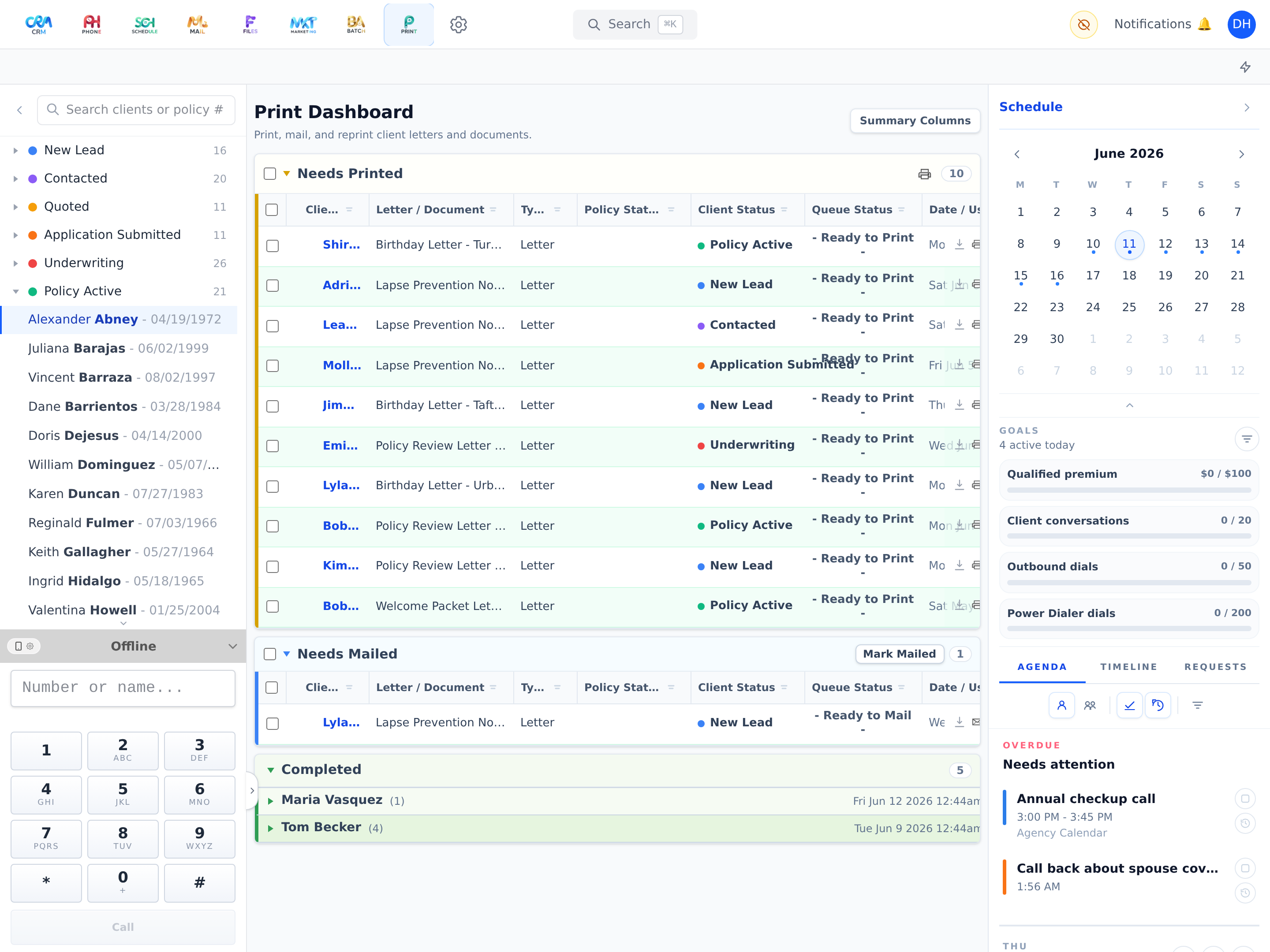
Needs Printed, Needs Mailed, and Completed queues with up-to-the-minute totals you can trust — and actions: print, mark mailed, move, cancel, restore, reprint.
-
4
Pixel-accurate output
Workganic builds the finished pages itself — Letter size, zero margins, backgrounds that run edge to edge — so what comes off the printer matches what you composed.
-
5
Batches, labels, and history
Compile selected rows or whole batches into one printable document with matching mailing label sheets. Printed output can never be altered after the fact; reprints link back to the original.
-
6
Scan-back review
Returned scans attach to the print job and client file, and policy updates happen only after explicit review approval.
-
7
Drafts with snapshots
Per-client letter drafts autosave per template, with snapshot history and restore.
Print is included on every plan — not an add-on.
From Starter up, Print works around the same client record as everything else. See how it fits into your agency’s day — on your own book of business, not a canned demo.